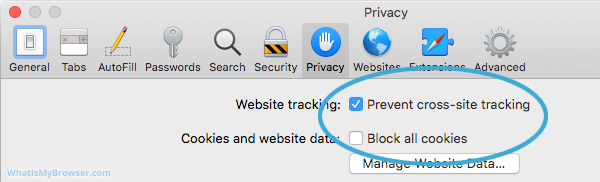
To enable cookies on an iPhone, iPad or iPod, tap Settings > Safari and turn off Block All Cookies. (In the image below, the Block All Cookies is turned on, you need to turn it off so that it is disabled)
To enable cookies on macOS, open a Safari window, click Safari > Preferences > Privacy tab and disable Block All Cookies.